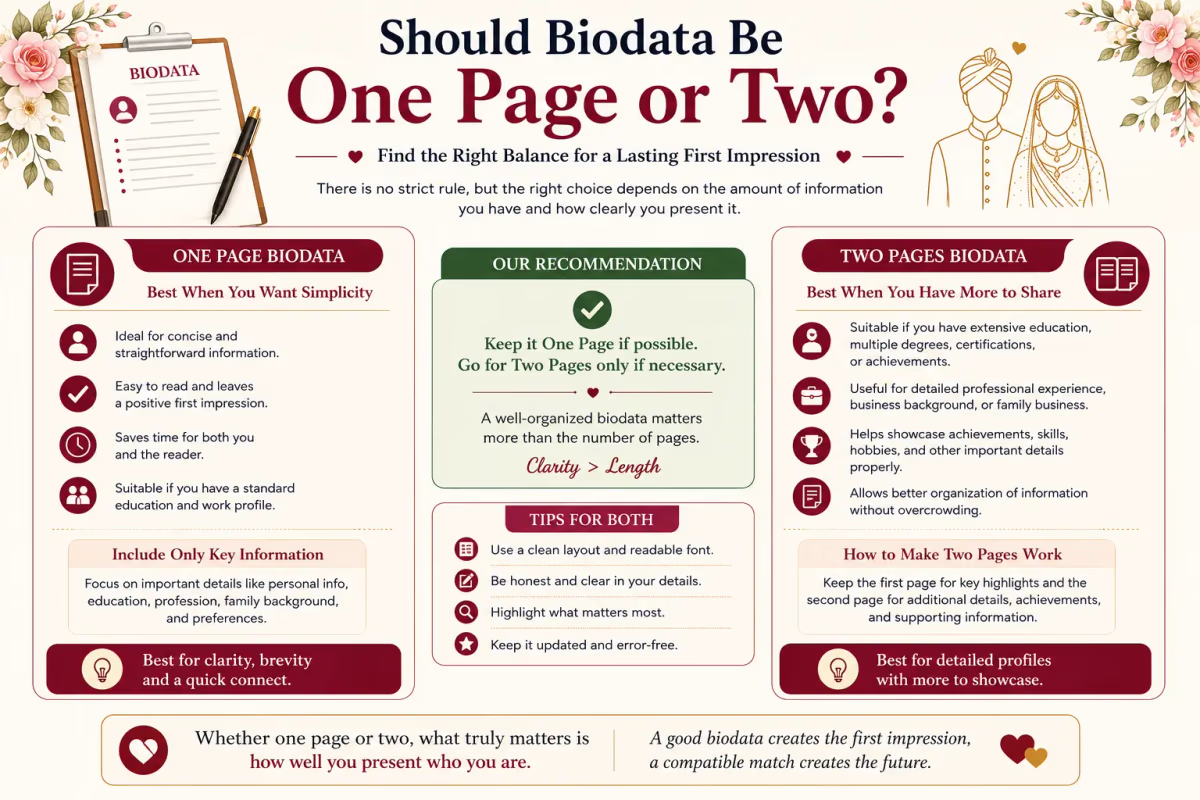
Why families do not read page two — the honest reason
Put yourself in the position of a mother in Lucknow who has received seven biodatas this week through various WhatsApp groups and relative connections. She opens them on Sunday evening on her phone, between dinner and the news. Biodata 1: one page. Photo, personal details, family, job, a short About Me, contact. Done in 90 seconds — she forwards two of them to her husband. Biodata 4: opens to page one with all the same information, then a page 2 notification or a second image. She scrolls — it has more education details she doesn't recognise, a longer About Me that repeats things already said on page 1, and three paragraphs about what the candidate is looking for in a match.
She is not going to read all of that tonight. The six one-page biodatas are already sitting in her husband's WhatsApp. Biodata 4 gets set aside for "when there's more time" — which usually means never. This is not about whether the candidate is good or bad. It is about how biodata review actually happens in Indian families — quickly, on a phone, alongside other things. One page respects that reality. Two pages doesn't.
What fits on one A4 page — everything that matters
People who make two-page biodatas are often worried they'll leave something important out if they only have one page. Here is the complete list of everything a first-introduction biodata needs — and it all fits on one page.
- Personal Details (12–15 fields): Name, date of birth, time of birth, place of birth, height, blood group, religion, caste, Gotra (if Hindu), Rashi, Nakshatra, Manglik status (if Hindu) — or Sect and Biradari (if Muslim), or denomination (if Christian).
- Family Details (5–6 fields): Father's name and occupation, mother's name and occupation, siblings (number, status, brief occupation), family type, native place.
- Education and Career (3–4 fields): Highest degree and institution, current employer and designation, income range.
- About Me (3–5 sentences, ~80 words maximum).
- Partner Preferences (2–3 sentences).
- Contact (2–3 fields): Contact person, mobile + WhatsApp, city.
- Photo (one, top right or top centre).
That is approximately 32–36 data points plus a short paragraph and a photo. A well-designed single-column or two-column template handles all of this comfortably on A4. What is NOT on this list: your full education history since school, multiple paragraphs about your philosophy and values, a list of all your achievements, your complete family tree, or a detailed description of your daily routine. These are conversations for after the first meeting.
The most common reason biodatas run to two pages
Almost always, it is one of three things. First, an About Me section that is too long — it feels the most personal, so people write the most there, but 10 sentences of About Me tells no one anything more than 3 good sentences would. Families spend about 15 seconds on this section; three tight, specific sentences do more work than eight rambling ones. If your About Me is more than 5 sentences, cut it — keep the most specific and memorable line, drop the generic ones.
Second, a partner preferences section that reads like a requirements document: "I am looking for a well-educated, professionally settled man between 27 and 33 years of age from a respectable family, preferably from UP or Delhi, with a minimum height of 5'8", earning between 12 and 15 LPA, who is family-oriented, non-smoker, non-drinker, vegetarian, values his parents, and is willing to live in Pune." That is one sentence — and 52 words. The partner preferences section should be 2 sentences maximum; an exhaustive requirements list belongs in a conversation, not a first-introduction document.
Third, including details nobody looks for in a biodata — school name and year of passing, board exam marks, the specific locality within a city, a full LinkedIn-style work history with multiple employers and dates, grandparents' names. All of this is either available on request or belongs in conversation.
What to cut — in the order to cut it
- Step 1 — Cut About Me to 3 sentences: one about your career or life situation, one about something specific and genuine, one about what you're looking for.
- Step 2 — Cut partner preferences to 2 sentences: your main preference (community or open, location, career) plus one honest values statement. The full requirements list goes in conversation.
- Step 3 — Remove schooling details from education: keep highest degree, institution, year, current employer, and designation; drop 10th/12th details, school name, coaching classes, and certifications unless directly relevant.
- Step 4 — Compress family details: father's and mother's name and occupation in one line each; siblings in one line, e.g. "One elder sister — married, settled in Delhi."
- Step 5 — Check for repeated information: remove your name or city if it appears twice, and trim education/career if together they take more than 5 lines.
After Steps 1–5, almost every biodata fits on a single A4 page.
The one exception — South Indian Jathagam
If you come from a Tamil, Telugu, or other South Indian community where the Jathagam (horoscope chart) is exchanged alongside the biodata, it is completely standard to attach the Jathagam as a second page or a separate image. But this is the Jathagam — the actual chart — not additional biodata content. The biodata itself remains one page; the Jathagam is a separate document that accompanies it, exactly as a resume might be sent with a cover letter.
For Tamil families: the biodata (one page) plus Jathagam chart (one page or image) is the standard format — families receiving Tamil biodatas understand this and expect both. The biodata page must still carry the Nakshatra and Rashi details clearly; the Jathagam is the full chart for the purohit to run porutham. For all other communities, there is no equivalent second document — one page, no exceptions.
The fastest fix — use a template designed for one page
The practical reason many biodatas run to two pages is that the person started typing in a Word document with default margins and font sizes, filled in everything they could think of, and ended up on page 1.5 or 2. Our templates are engineered to fit every standard biodata section on a single A4 page — two-column layouts that use space efficiently, appropriate font sizes for screen and print, and sections sized to fit real content rather than theoretical content. If you put the right amount of information in the right template, the one-page constraint handles itself.
Ready to create your own biodata? Start with our free builder or browse premium templates.