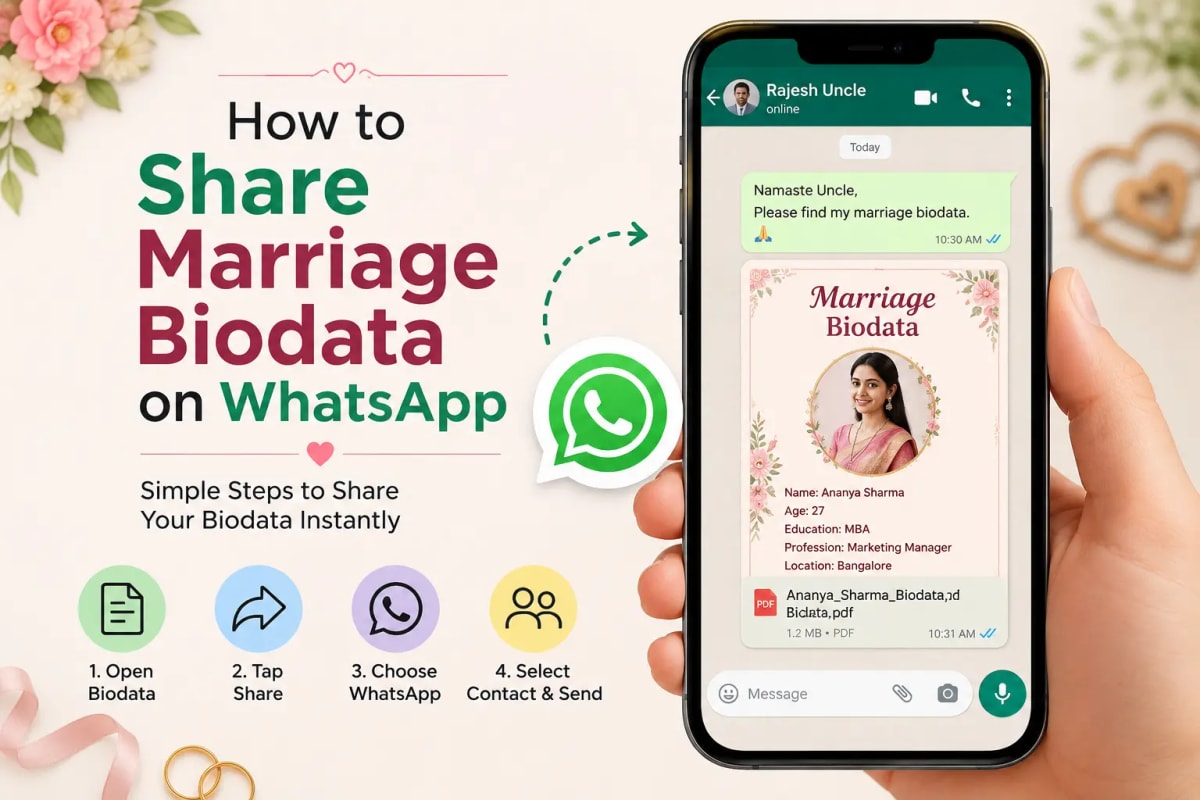
Step 1 — Download your biodata as PDF, not as an image
When you share a PDF on WhatsApp, the recipient opens it in their phone's PDF viewer and sees the full design — fonts, layout, photo — exactly as you created it. When you share as a JPEG or PNG, WhatsApp compresses the image and the text becomes slightly blurry on many Android phones. A PDF shared on WhatsApp can also be forwarded to other family members without quality loss. If someone asks for an image format specifically, that is fine — use JPEG. For general distribution, always PDF.
Step 2 — How to attach and send on WhatsApp
On Android: open WhatsApp and go to the recipient's chat. Tap the attachment icon (paperclip icon in the message bar). Select Document. Navigate to where your biodata PDF was saved — usually the Downloads folder. Tap the PDF file to select it. Add your message from the templates below. Tap Send.
On iPhone: open WhatsApp and go to the recipient chat. Tap the + icon next to the message bar. Select Document. Browse to your saved biodata PDF in Files. Tap the file to select it. Add your message. Tap Send.
Via the Marriage Biodata Hub share button: after downloading, tap the WhatsApp share button on the confirmation screen. It opens WhatsApp directly with your biodata attached and a starter message in the text field. Edit the message to personalise it before sending — add the recipient's name and adjust the tone to suit your relationship with them.
What to write when sending biodata on WhatsApp
The message should be brief, warm, and respectful. Three to four sentences maximum. Do not write a paragraph — it overwhelms. Do not write a single line — it seems careless. The right tone is respectful without being overly formal. The message sets the first impression before the family even opens the PDF.
WhatsApp message templates — English
Template 1 — Sending to a family your relatives connected you with: 'Namaste [Name] ji, Pranam. [Your name]'s family from [city] — we received your reference from [common contact's name]. Please find our biodata for your kind consideration. We would be glad to connect further if you find it suitable. Regards, [Your name]'s family.'
Template 2 — Sending to a family you found on a matrimony site: 'Namaste, we came across your profile on [BharatMatrimony / Shaadi.com] and found it compatible with ours. Please find our biodata attached. We would be happy to connect if you feel the same. Best regards, [Candidate name]'s family.'
Template 3 — Sending to a close relative or family friend (informal): 'Namaste Auntie / Uncle, hope you are well. I am sending [name]'s biodata as requested. Please share with whoever you feel may be suitable. We would be very grateful.'
Template 4 — Sending personally (candidate to candidate): 'Hi [name], we were connected through [name]. I am sharing my biodata. Would be nice to connect if you would like to take this forward.'
Template 5 — Follow-up after sending, if no reply after 3–4 days: 'Namaste [Name] ji, just following up — I had sent our biodata a few days ago. Please take your time. If you have any questions or would like to connect, we are happy to do so whenever it is convenient for you.'
WhatsApp message templates — Hindi (शादी का बायोडाटा भेजने के लिए संदेश)
Template 1 — To a family connected by relatives: 'आदरणीय [नाम] जी, सादर प्रणाम। [संदर्भ का नाम] जी के माध्यम से आपसे परिचय हुआ। हमारे [बेटे / बेटी] का बायोडाटा संलग्न है। यदि उचित लगे तो आगे बात करने में हमें प्रसन्नता होगी। धन्यवाद, [परिवार का नाम]।'
Template 2 — To a matrimony site match: 'नमस्ते, हमने आपकी प्रोफ़ाइल [BharatMatrimony / Shaadi.com] पर देखी और उचित लगी। बायोडाटा संलग्न है। यदि उचित समझें तो हमें बताएं। सादर, [नाम] के परिवार की ओर से।'
Template 3 — Informal, to close relatives: 'नमस्ते [काका / काकी / मामा] जी, [नाम] का बायोडाटा भेज रहे हैं। जहाँ उचित रिश्ता दिखे, कृपया आगे भेज दें। बहुत आभारी रहेंगे।'
Sending to different community families — tone adjustments
Muslim families: use 'Assalamu Alaikum' as the greeting rather than 'Namaste.' The message structure is the same — brief, warm, respectful. Do not mention the biodata's Islamic features; the family will see them when they open it. Focus on the connection and the request to take it forward.
South Indian families: 'Vanakkam' (Tamil) or 'Namaskara' (Kannada / Telugu) as the greeting. Families in Tamil Nadu often send biodatas to the girl's or boy's father directly, not to the candidate. Adjust the tone accordingly — slightly more formal than between candidates.
Marathi families: 'Namaskar' as greeting. If the recipient is older, add 'Pranam' or use respectful address forms. Many Marathi families still have a community marriage organiser or pandit as the intermediary — if the biodata is going through them, keep the message neutral and formal.
What NOT to do when sharing a biodata on WhatsApp
- Do not send as a screenshot. Screenshots look informal and compress badly on Android. Always PDF.
- Do not send without a message. A blank PDF arriving on WhatsApp is confusing and appears careless.
- Do not follow up the same day. Give at least 3–4 days before a polite follow-up message.
- Do not mass-forward using WhatsApp Broadcast without personalising. A biodata arriving in a broadcast list feels like spam. Each message should feel individual and addressed to that specific family.
Can I share a link instead of a PDF?
Yes. Marriage Biodata Hub generates a private shareable link for your biodata. The link opens your biodata in a mobile-optimised web view — the recipient does not need to download anything. The design renders cleanly on any phone. Use the link instead of PDF when the recipient has trouble opening PDF files on their phone, when sharing in a WhatsApp group (links preview better than PDFs in group chats), or when you want the biodata to be viewable without a download step. To generate the link: after creating your biodata, tap 'Share Link' on the download screen.
Frequently asked questions
Should I send the biodata as PDF or image on WhatsApp? PDF is strongly recommended. PDF preserves fonts, layout, and photo quality exactly on every phone. When you share a JPEG or PNG on WhatsApp, the compression reduces image quality and text becomes blurry on smaller screens. Only share as an image if the recipient specifically asks for that format.
How long should I wait before following up after sending a biodata? 3–4 days is a respectful waiting period. After that, one brief follow-up message is appropriate. Do not follow up more than once unless they have responded. Families review many profiles simultaneously and reply when they are ready — following up repeatedly creates a poor first impression.
What should I write when sending a biodata on WhatsApp? Keep it brief and warm. Example: 'Namaste [Name] ji, please find our biodata attached for your kind consideration. We would be happy to connect further if you find it suitable.' Include the sender's name or family name at the end. Three to four sentences is ideal.
Ready to create your own biodata? Start with our free builder or browse premium templates.